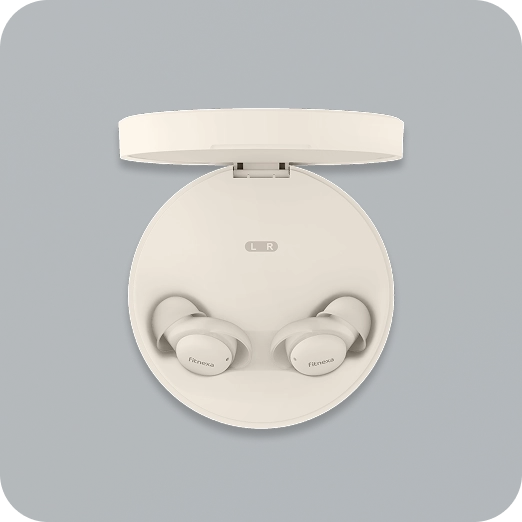
SomniPods 3 · User Guide for the Fitnexa App
Contents
Overview
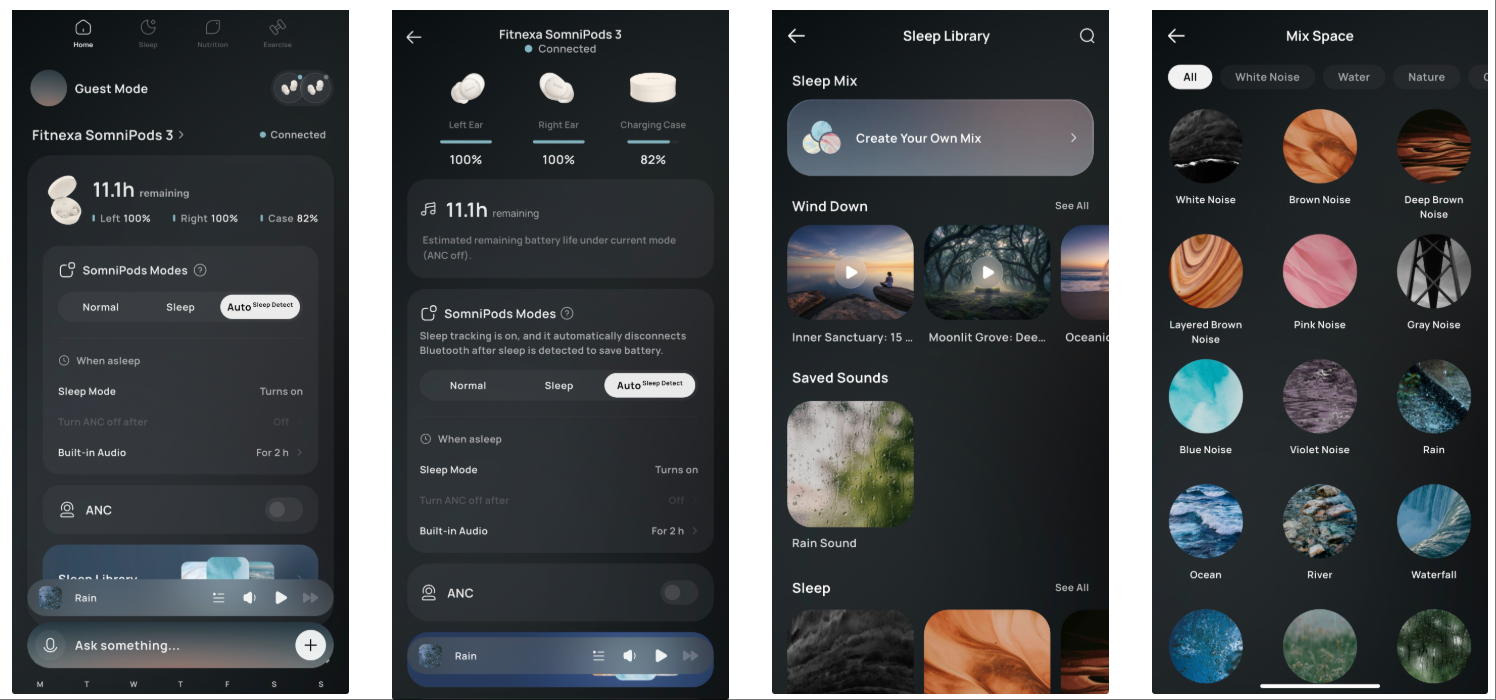
In-App Essentials
- Full control and customization of your earbuds
- A rich sleep-audio library (hundreds of tracks), custom mixing, and bedtime guided meditation
- Sleep insights & history
- Firmware updates
Mode Guide
To cater to your specific sleep habits, SomniPods 3 offers three distinct playback modes. Pick the one that matches how you listen at night.
MODE 01
Bluetooth Mode
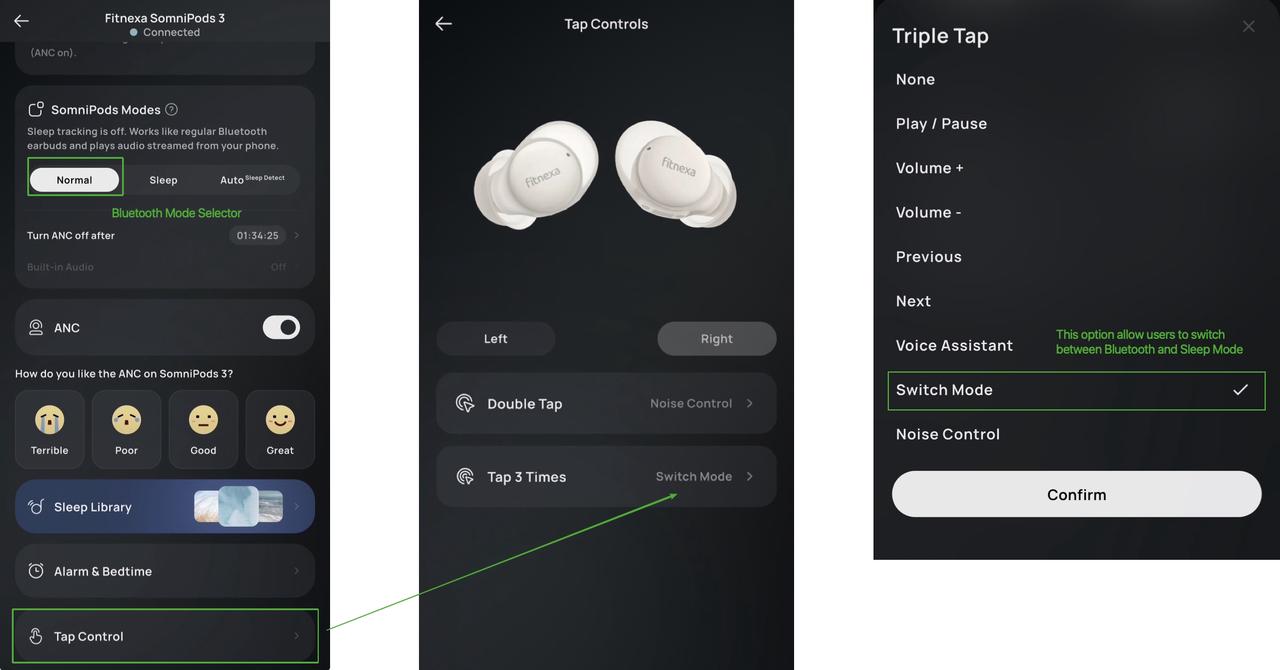
How It Works
The connection to your phone remains active at all times. You can stream any audio content from your favorite apps (such as Spotify, Podcasts, or Audiobooks) without interruption.
How To Switch
- Switch modes in the app.
- Switch via earbud touch controls: by default, triple-tap on the left earbud toggles between Bluetooth Mode and Sleep Mode. You can customize the gesture and earbud side in the app under “Tap Control”.
Best For
- Daytime use or relaxation before bed.
- Listening to your own playlists or audiobooks throughout the entire night.
MODE 02
Sleep Mode
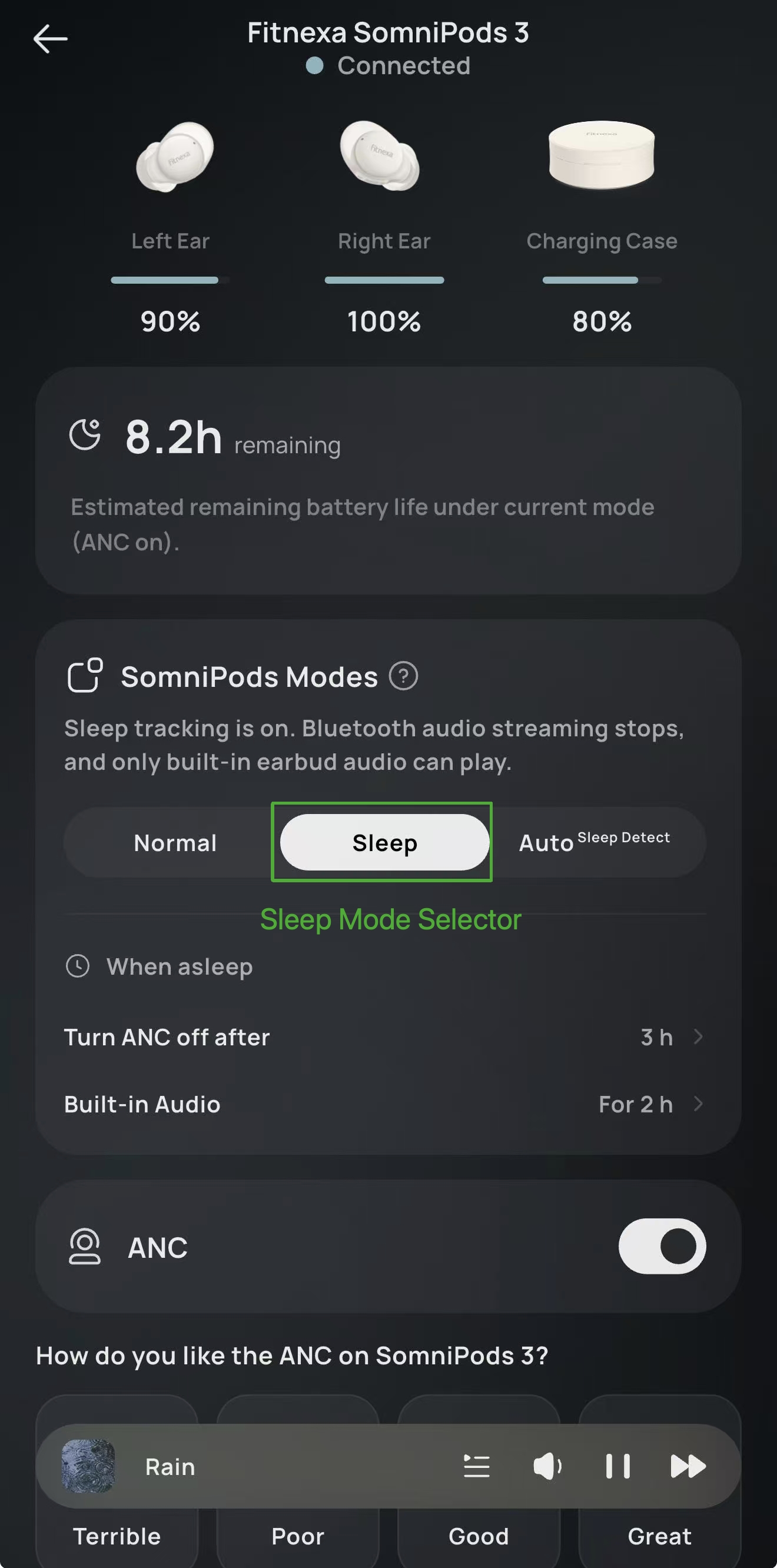
How It Works
- Blocks interruptions: It disconnects Bluetooth media audio, helping prevent wake-ups from notifications or unexpected loud tracks.
- Soothing sounds: It focuses on playing the earbud's built-in audio (such as White Noise or Ocean sounds) to mask external noise.
- Power saving: Optimized for a full night's rest.
How To Switch
- Switch modes in the app.
- Switch via earbud touch controls: by default, triple-tap on the left earbud toggles between Bluetooth Mode and Sleep Mode. You can customize the gesture and earbud side in the app under “Tap Control”.
Best For
When you want to disconnect immediately and just need quiet masking sounds to drift off.
MODE 03
Auto Mode
How It Works
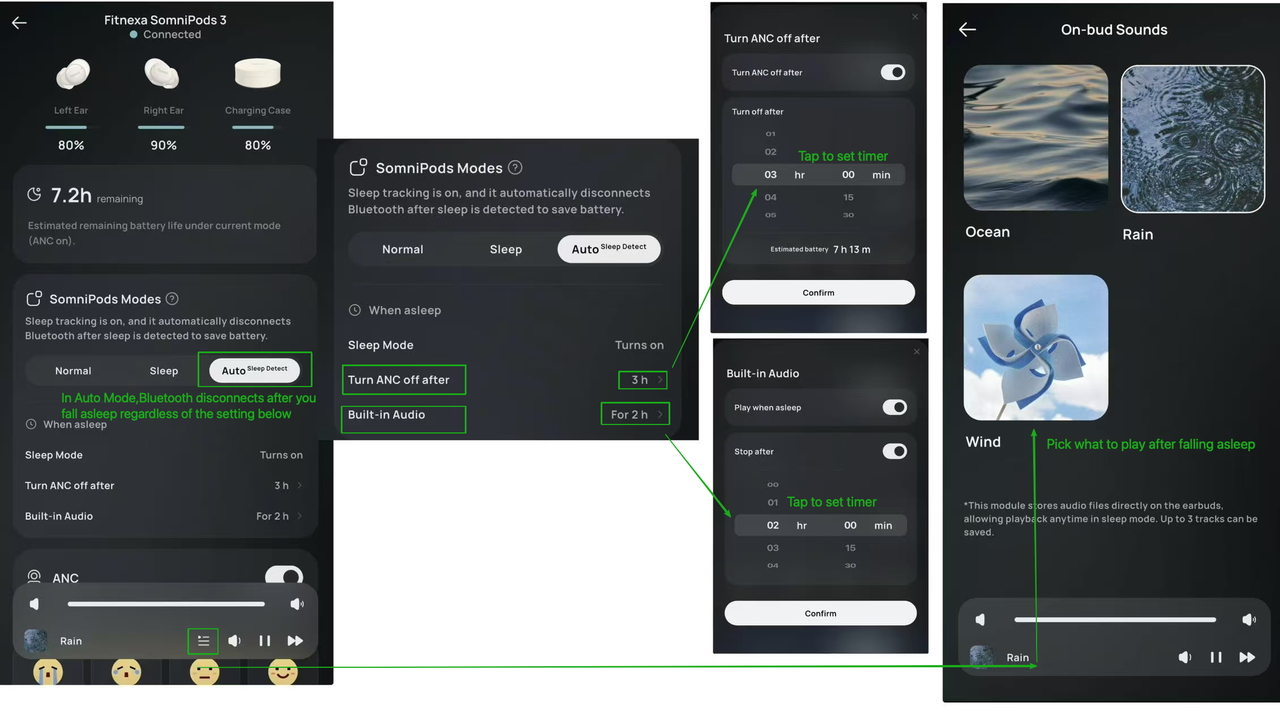
Before sleep, the earbuds run in Bluetooth Mode so you can relax with your own content. After you fall asleep, the switch is driven by on-earbud sensors that detect whether you've fallen asleep, and then transition the device to Sleep Mode.
Process Overview
- While you're awake: Bluetooth Mode.
- The moment sleep is detected: Bluetooth audio disconnects, regardless of timer settings.
- If configured post-sleep ANC Auto Off: ANC turns off after the configured duration.
- If Phone-Free Sounds is enabled: After the configured duration, Phone-free Sounds stop playing.
Why It Matters
- Once you're asleep, it can automatically disconnect Bluetooth audio so your phone won't keep playing and disturb you.
- It helps extend earbud runtime, improving the chance of a calm, uninterrupted night.
Best For
Users who like to listen before sleep and prefer an automatic, hands-off transition once they're asleep.
What You Can Customize
- Adjust how long after sleep the earbuds wait before turning off ANC.
- Choose whether to enter Phone-free Sounds after sleep (default: Off).
Phone-free Sounds
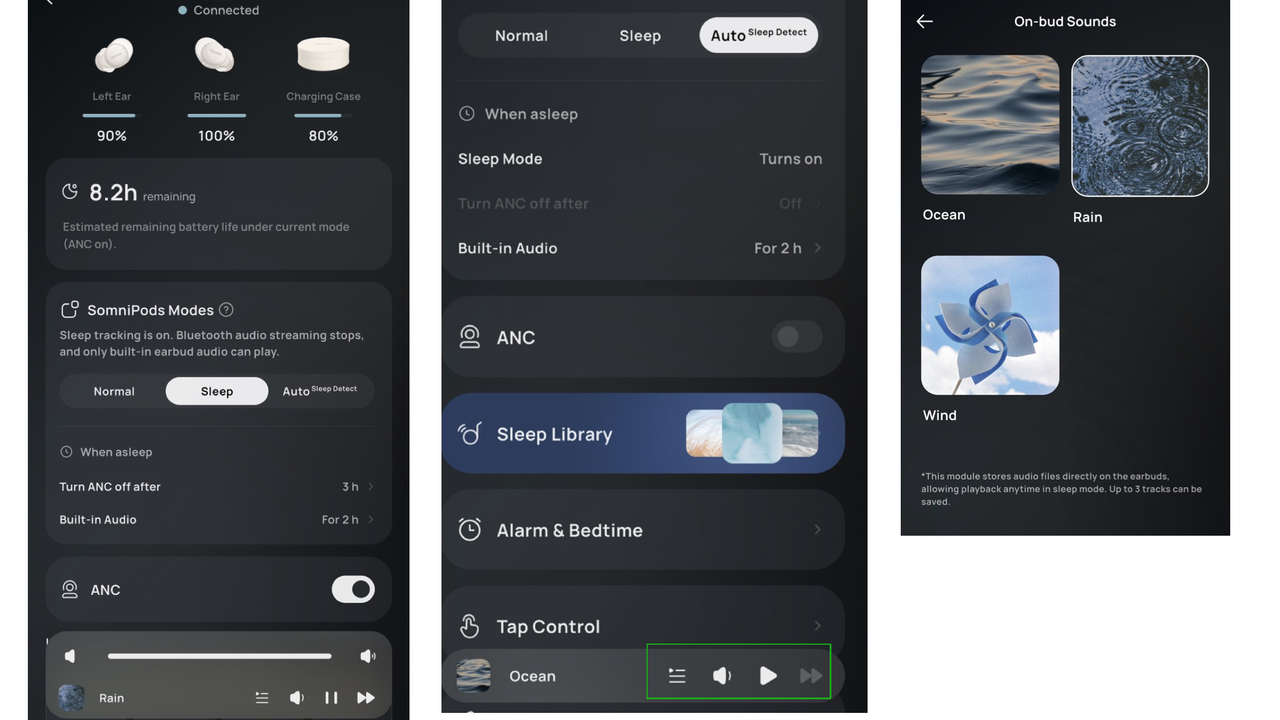
What are Phone-free Sounds? Phone-free Sounds are specially curated audio tracks stored directly on your SomniPods. They allow you to block out noise and stay asleep without draining your battery or maintaining a Bluetooth connection to your phone.
1. How do I enable / use them?
Select Sleep Mode or Auto Mode. Phone-free Sounds activate automatically in these scenarios:
- In Sleep Mode: They play immediately when you select this mode to disconnect you from the outside world.
- In Auto Mode: They will start playing only after the system detects you have fallen asleep and switches off the Bluetooth audio, if enabled.
2. How do I change the sound or volume?
You can customize your sound preference directly on the main dashboard:
- Select either Auto or Sleep mode.
- Tap the Control Bar at the bottom of the screen (where the current sound name is displayed).
- Browse the library, preview tracks, and adjust the volume specifically for these sounds.
3. Can I import my own music or sounds?
Currently, no. To ensure maximum battery life and loop smoothness, Phone-free Sounds are limited to the official high-efficiency library provided in the app.
Note
We know this is a highly requested feature. We are actively exploring ways to support custom audio imports in future software updates. Stay tuned!
Private Alarm & Bedtime Reminder
Manage your sleep schedule and wake-up routine directly from the app.
Private Alarm
A gentle, in-ear wake-up call that only you can hear. The alarm plays directly through the earbuds, allowing you to wake up on time without disturbing your partner.
Bedtime Reminder
A helpful push notification sent to your phone (not the earbuds) to remind you that it is time to wind down and get ready for sleep. Note: This is distinct from the Private Alarm and does not play audio through the earbuds.
Where to set it
Tap “Alarm & Bedtime” on the main device dashboard.
Important battery note
Because the Private Alarm requires the earbuds to remain powered on, we recommend using this feature primarily for naps or short sleep sessions. If you plan to use it for a full night's sleep, check the “Estimated Playtime” in the app to ensure the battery level is sufficient to last until your wake-up time. If the battery runs out, the alarm will not play.
Contact Us
Email Us
support@fitnexa.com